Guided CLI Flow
Interactive scaffolding that generates starter projects in minutes.
CategoryFull-Stack
FrameworkNext.js
Pkg Managerpnpm
Loading bextool...
bextool scaffolds frontend, backend, full-stack, mobile, and extension projects from a single guided flow, so your team starts with real architecture, not boilerplate.
npm install -g bextoolDesigned to move from idea to installable project in one guided pass.
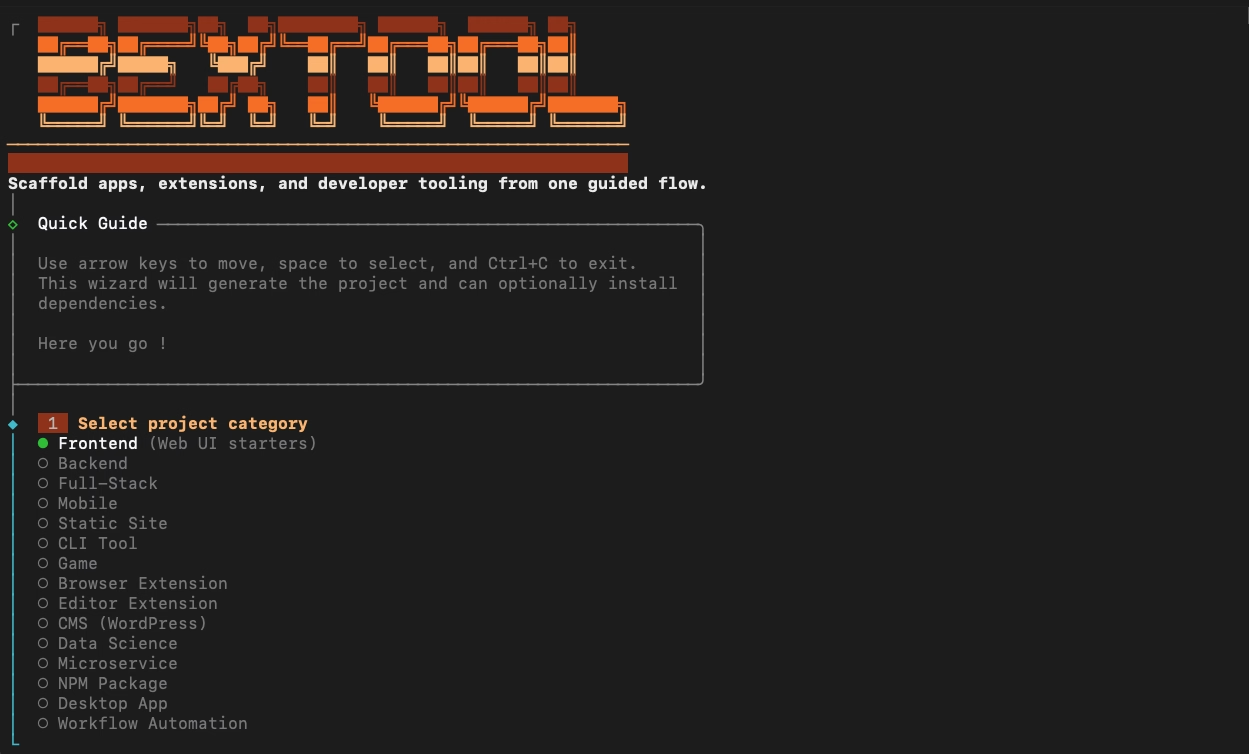
Creates accurate, context-aware project structures instantly.
Sets up tooling, linting, and formatting so you stay productive.
Highlights important scripts and hides configuration noise.
Supported by
Features
Interactive scaffolding that generates starter projects in minutes.
Production-ready templates for any stack.
Frontend
React+Vite
Backend
Node+Express
Mobile
React Native
Extension
Chrome MV3
Powered by Handlebars templates and modular generators.
// src/config/frameworks.js
export const frameworks = [
{ "name": "frontend", ... }
];
Ready-to-run scripts and baseline files to start coding instantly.
Workflow
The command flow is optimized to remove setup mistakes and keep implementation focus on product logic.
Step 01
npm install -g bextoolStep 02
bextoolStep 03
Select stack, framework, package manager, and project metadata. bextool generates a ready-to-run structure with clean defaults.
Team velocity
Standardized scaffolding gives every contributor the same clean baseline, reducing onboarding time and debugging noise across repositories.
npm install
npm startnpm test
npm pack --dry-runCommunity
bextool is maintained in the open with a strong emphasis on CLI ergonomics, release reliability, and developer experience.